
Your ABOSS events on your website, automatically
Whatever you enter in ABOSS appears instantly on each artist’s website. No retyping, no manual updates, no separate WordPress administration.
Three things that save time
-
Always up-to-date
Any changes you make in ABOSS will automatically appear on the artist’s website, so there’s no need to retype them manually anymore.
-
Fits in every website
Works seamlessly with the most popular page builders, as well as in a standard WordPress theme without a builder.
-
One tour, multiple views
Each artist has their own page on the website, with their own style and their own choice of what to display.
Get found in search
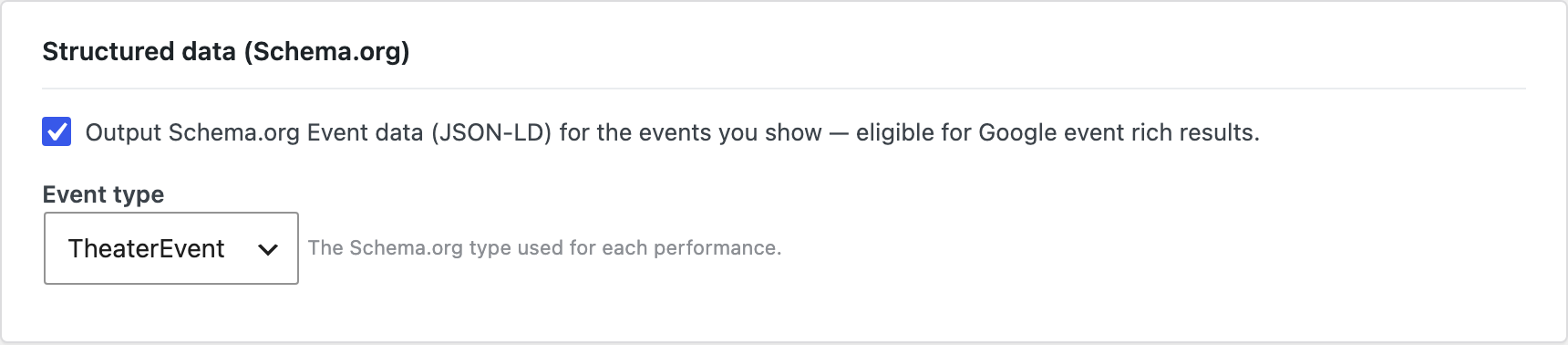
ABOSS Events Pro outputs rich, structured Schema.org Event data for every performance you show: the format Google uses for its event experiences and rich results. No SEO plugin, no manual markup: connect ABOSS, and each show becomes a clean, search-friendly listing with date, venue, location and ticket link.
- Schema.org Event JSON-LD for every performance: eligible for Google event rich results.
- Choose the event type (Theatre, Music, Dance, Comedy, Festival…).
- Calendar feed (.ics) and an “Add to calendar” link so fans never lose a date.
- Works automatically from your existing ABOSS data.
Ready for the popular page builders
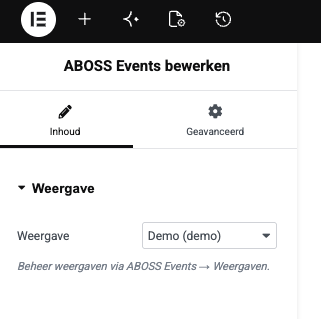
Pro makes placement visual. Add the ABOSS Schedule block in the WordPress editor, or the Elementor widget and Divi module, pick one of your displays from a dropdown, and see it render live in the editor. Same data, same styling. Placed the way you actually build pages.
- Native Gutenberg block with a display picker and live preview.
- Elementor widget and Divi module included.
- No shortcodes to copy — choose a display and place it.
Know what's selling
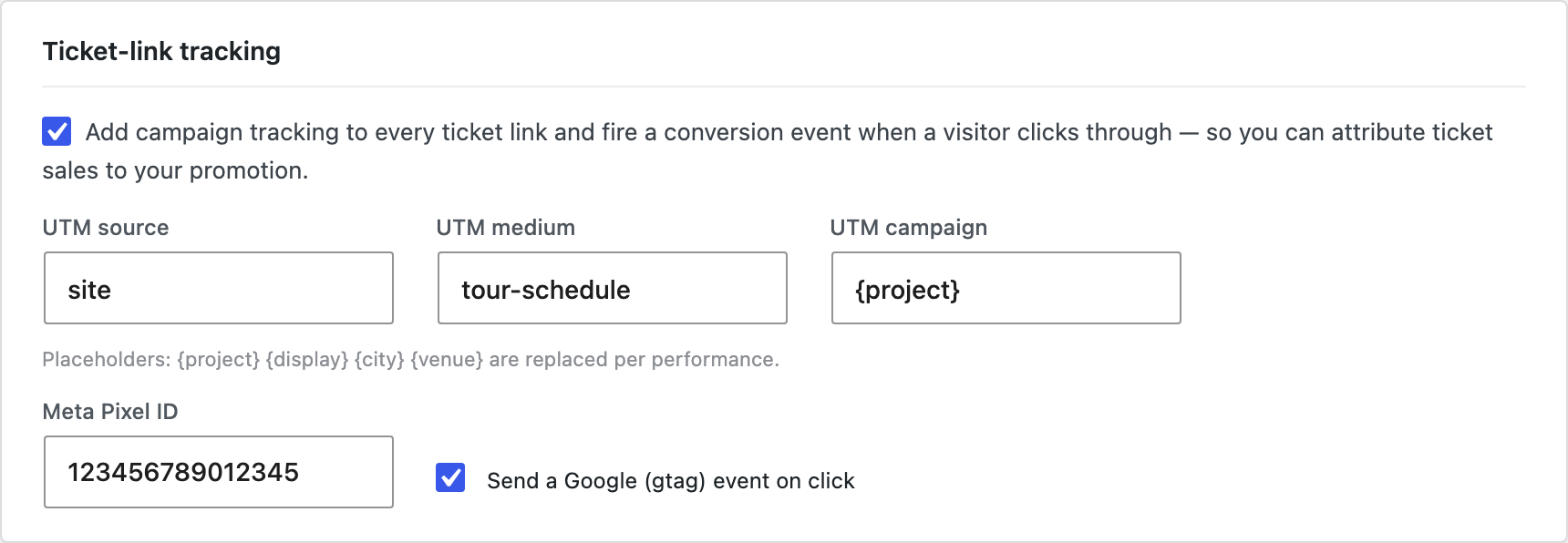
The ticket click happens on your site, not in ABOSS. Which means it’s invisible to your analytics by default. ABOSS Events Pro fixes that: it automatically tags every ticket link with campaign parameters (per artist, per tour) and fires a conversion event on click. Agencies running ads on a tour can attribute ticket interest without tagging a single link by hand.
- Automatic UTM tagging on every ticket link — per project, tour, venue or city.
- Fires a Meta Pixel and/or Google conversion event on click.
- Zero manual tagging — set it once, it applies to your whole schedule.
- Pure website-layer attribution that’s simply impossible inside ABOSS.
Give every show its own page
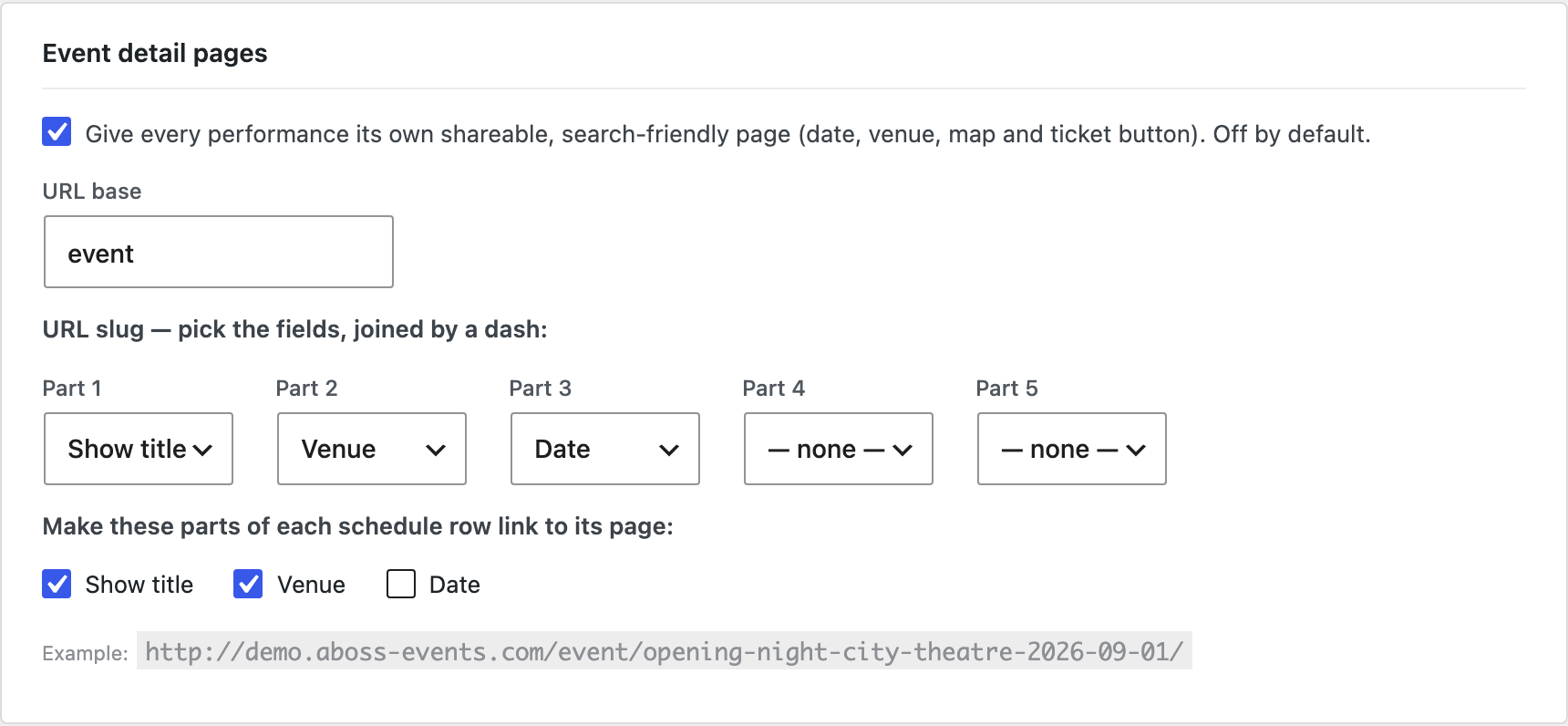
Turn a single line in your schedule into a destination. ABOSS Events Pro creates a dedicated, themed page for every performance — with the date, venue, an interactive map link, a ticket button and its own structured data and canonical URL. You decide the URL: build the url from your own fields (show, venue, city, date) and pick which parts of the schedule row link through.
- Clean, human-readable URLs you control
- Themed page with date, venue, map link, ticket CTA and description.
- Per-show Schema.org data + canonical — built for SEO and social sharing.
- Off by default; turn it on per site, choose which row fields become links.
Pricing
One license per site bundle. All plans are exclusive of 21% VAT.
-
Starter
For a few artists
€99 /yr excl. btw
Up to 3 artist websites
All features
Email support -
Agency
For a medium-sized roster
€299 /yr excl. btw
Up to 10 artist websites
All features
Email support -
Growth
For even bigger agencies
€599 /yr excl. btw
Up to 30 artist websites
All features
Email support
Do you have more artists on your roster or any special requests? If so, please see the Enterprise enquiry form at the bottom of this page.
FAQ
Have questions? We have answers.
-
Wat does the plugin do?
It displays your artists’ performances on their own website. Whatever you record in ABOSS automatically appears on the site — no retyping, no need to update a separate calendar.
-
Do I need an ABOSS-account?
Yes. The plugin retrieves the event information from your ABOSS environment. During installation, we’ll provide you with a few codes (or you can request them from ABOSS) to link the plugin to your account. After that, it works automatically.
-
Does the plugin work with page-builders?
Yes. For the most popular page builders, there’s a ready-to-use block that you can drag and drop onto the page. It also works perfectly well in a standard WordPress theme without a page builder.
-
How fast are changes reflected on the website?
Usually within an hour. If you need it sooner (for example, following a last-minute change), simply click a button in WordPress to fetch the calendar straight away.
-
Can I create a different display for each artist?
Yes. For each artist, you can specify which performances are displayed and in what style. You then add the corresponding display to that artist’s page.
-
What is the difference between Lite and Pro?
Do more with your tour schedule.
ABOSS Events Pro builds on it to help more people find your shows, give every performance its own page, prove what your marketing is driving, and place it all without touching code.
-
Will I get my money back if I don’t like it?
Yes, a 30-day money-back guarantee on your first purchase. Just send us an email.